You connect a lighting management system to the building management system (BMS) via a standardised interface: BACnet/IP is the most widespread route in German non-residential buildings, Modbus suits simple status and meter values, and an API is the choice for integration into IT platforms, energy management or workplace software. What matters is not just the protocol but a clean definition of the data points: which values the BMS should read, which commands it may send and where the lighting control remains autonomous. This guide explains the architecture, data points, protocol choice and the typical pitfalls of integration.
Why lighting belongs in the BMS
In many non-residential buildings, lighting is one of the major electricity consumers, yet it is often operated as a stand-alone system. Connecting it to the BMS brings several benefits:
- Central overview: faults, operating states and consumption appear in the same interface as heating, ventilation and air conditioning.
- Cross-system functions: presence information from the lighting sensors can set back ventilation or heating room by room.
- Energy monitoring: lighting consumption data feeds into energy management and reporting.
- Legal requirements: the Building Modernisation Act (Gebäudemodernisierungsgesetz, GModG) extends the requirements for building automation, monitoring and automatic lighting control in non-residential buildings. According to the BBSR information portal, § 56 (2) GModG requires monitoring technology to provide, among other things, data accessibility via a common and freely configurable interface (as of September 2026, not legal advice). Details in the guide GEG, EnEfG & EPBD.
Architecture: three levels
A wireless lighting control system with BMS integration is typically structured in three levels:
| Level | Task | Keilton+autani components |
|---|---|---|
| Field level | Presence and daylight detection, dimming, switching | Sensors such as IFS105SE or EFS106, node FA102, wall switch WP108E |
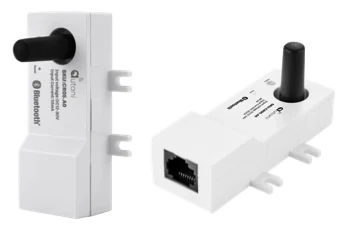
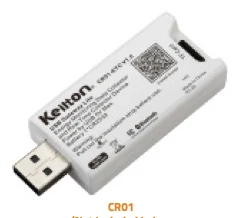
| Zone or automation level | Grouping a Bluetooth mesh zone, time synchronisation | Gateway CR05 with RTR (up to 100 nodes per zone), real-time clock CR01 |
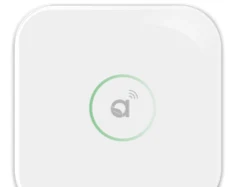
| Management level | Central administration, data storage, interface to the BMS | AU-Manager with EnergyCenter software |
The sensors operate autonomously within their Bluetooth mesh zone: presence and daylight control run locally, even if the connection to the management level is interrupted. According to its datasheet, the AU-Manager integrates several protocols, including Bluetooth, Zigbee (autaniNet), EnOcean and BACnet/IP, and connects to the local network via Ethernet or via a 4G router. It stores system events for more than a year and offers graphical set-up on floor plans. You can read more about the wireless technology in the article Bluetooth mesh in lighting control.
The protocols compared
BACnet/IP
BACnet (Building Automation and Control Networks) is a vendor-independent standard (ISO 16484-5) for building automation. It represents data points as objects, such as binary values for states, analogue values for measured variables or multi-state values for operating modes. Its advantages are the semantic description of data points, alarm and event functions and broad support among BMS manufacturers. For the Keilton+autani platform, BACnet/IP is available via the AU-Manager.
Modbus
Modbus is a simple, widely used protocol that transfers values in numbered registers. It works well for meter values and simple states. The drawback: the meaning of a register is not stored in the protocol itself but has to be documented in a register list and mapped manually in the BMS.
API
An application programming interface (API) is the right route when data is to flow not into a classic BMS but into IT systems: energy management software, CAFM, workplace and room booking systems or data warehouse solutions. APIs are particularly suited to larger data volumes and historical analysis.
| Criterion | BACnet/IP | Modbus | API |
|---|---|---|---|
| Typical counterpart | BMS, automation stations | BMS, energy metering systems | IT platforms, analytics, CAFM |
| Data model | Objects with properties | Registers without semantics | Freely definable, usually structured |
| Alarms and events | Built in | Polling only | Depends on implementation |
| Data point mapping effort | Medium | High with many points | Programming effort |
| Strength | Standard in building automation | Simplicity | Flexibility, historical data |
Building Robotics Europe supports BMS integration via BACnet, Modbus or API. Which route makes sense in a project depends on the existing management system and the goals of the integration.
Defining data points correctly
The most common mistake in BMS projects is an unclear data point list. Decide early on which information is needed at which level. Transferring every single luminaire rarely makes sense; zones or groups are usually sufficient.
Typical read data points
- Presence status per zone or room (occupied / vacant)
- Lighting state and dimming level per group
- Energy consumption per zone, for example from the energy monitoring of the CR01-ETC
- Fault messages, such as loss of communication with individual devices (scope to be clarified in the project depending on system version)
- Operating mode (automatic, manual, schedule)
Typical write data points
- Higher-level enable or lock of a zone, for example outside operating hours
- Scene or profile switching (normal operation, cleaning, event)
- Central OFF when the building is closed
- Load shedding as part of load management
Example: extract from a data point list
The following table shows, by way of example, how a zone can be described in the data point list. Names and intervals are example values and are agreed with the BMS contractor in the project.
| Name | Direction | Data type | Unit | Interval / trigger |
|---|---|---|---|---|
| OG2_Zone03_Praesenz | read | binary | occupied/vacant | on change |
| OG2_Zone03_Dimmwert | read | analogue | % | on change |
| OG2_Zone03_Energie | read | analogue | kWh | 15 min |
| OG2_Zone03_Stoerung | read | binary | – | on change, alarm |
| OG2_Zone03_Profil | write | multi-state | Normal/Cleaning/Event | as required |
| OG2_Zone03_Freigabe | write | binary | enabled/locked | BMS time schedule |
Using presence data across building services
The greatest added value of integration comes when the presence information from the lighting sensors is also made available to other building services. Examples:
- Ventilation: demand-based reduction of airflow in unoccupied meeting rooms.
- Heating and cooling: setting back the setpoint temperature in zones that have been unused for longer periods.
- Solar shading: a coordinated strategy between daylight harvesting and glare protection.
- Cleaning and facility services: cleaning based on actual use rather than a fixed schedule.
Since there is already a presence sensor in every room or even in every luminaire, this produces a fine-grained occupancy picture without additional sensors. More on this in the guide Energy monitoring & occupancy data.
IT security and network
Once connected, the lighting control becomes part of the building network. Bear in mind:
- Network segmentation: building automation belongs in its own segment (VLAN), separate from the office IT network.
- Access rights: restrict the BMS's write access to the lighting control to what is necessary.
- Remote access: only via secure connections. According to its datasheet, the AU-Manager enables secure remote access via LAN or 4G router; the 4G connection can keep the office IT network out of the picture entirely.
- Firmware maintenance: plan and document updates, ideally as part of a support contract.
Project approach
- Clarify the goals: visualisation only, cross-system functions or energy monitoring?
- Check the existing installation: existing BMS, supported protocols, licensing model for data points.
- Choose the protocol: BACnet/IP as standard, Modbus for simple requirements, API for IT integration.
- Draw up the data point list and agree it with all trades.
- Commission the lighting control zone by zone, initially in autonomous mode.
- Test the integration: reading, writing, alarms, behaviour on loss of connection.
- Joint acceptance and documentation.
The product comparison helps with choosing a system. For questions about existing installations, our support team is on hand to help.
Conclusion
BMS integration turns a lighting control system into a data source for the entire building. BACnet/IP is the standard route into the building management system, Modbus is sufficient for simple values, and an API opens up the data to IT platforms. Project success depends above all on a data point list agreed early on, a clear division of roles between the autonomous field level and the higher-level BMS, and sound network planning. If you are planning an integration, get in touch via our contact page.
Frequently asked questions
How is a lighting control system connected to the BMS?
Via a management level that bundles the lighting control data and makes it available through a standard protocol. In the Keilton+autani system this is handled by the AU-Manager, which supports BACnet/IP among other protocols. The sensors continue to control presence and daylight locally.
Which is better for lighting control: BACnet or Modbus?
BACnet/IP is the standard in building automation and offers an object model with alarms and events. Modbus is simpler, but only transfers register values without meaning, which have to be mapped manually. For extensive integrations, BACnet is usually the better choice.
Which data points should a lighting control system provide to the BMS?
Typical ones are presence status, lighting state and dimming level per zone, energy consumption, fault messages and operating mode. Write data points usually cover enables, scene or profile switching and central OFF. Transfer zones rather than individual luminaires.
Does the lighting keep working if the BMS fails?
With a properly planned architecture, yes. The sensors in the Bluetooth mesh zone make presence and daylight decisions locally. The BMS monitors and influences at a higher level, but is not required for basic operation.
When is an API more useful than BACnet?
When the data is to flow not into a classic building management system but into IT systems, such as energy management software, CAFM or room booking systems. APIs are particularly suited to larger data volumes and historical analysis.