Bluetooth Mesh is a wireless network standardised by the Bluetooth SIG in which every mains-powered device can pass messages on to its neighbours. For lighting control, this means that sensors, luminaires, push buttons and gateways communicate with one another wirelessly – with no additional control cabling, no central controller for the basic functions, and a range that grows with every device added. This makes Bluetooth Mesh particularly attractive for refurbishments in occupied buildings, for industrial halls and for buildings where cable routes are expensive or difficult. In this guide you will learn how Bluetooth Mesh works, how secure it is and what to look out for at the planning stage.
From Bluetooth Low Energy to Bluetooth Mesh
Most people know Bluetooth as a point-to-point connection: a smartphone and a pair of headphones. Bluetooth Low Energy (BLE) reduced power consumption so far that sensors and battery-powered push buttons can also communicate wirelessly. Bluetooth Mesh, published by the Bluetooth SIG in 2017, builds on BLE and adds a network layer in which many devices exchange messages as equal peers. All devices transmit in the licence-free 2.4 GHz band.
For lighting, the Bluetooth SIG also published the Networked Lighting Control (NLC) profiles in 2023. These describe standardised device roles such as occupancy sensor, ambient light sensor, scene selector, dimmer and luminaire controller, with the aim of improving interoperability between manufacturers.
How the network works
Managed flooding
Bluetooth Mesh uses a method called managed flooding. A sensor sends a message – such as “occupancy detected” – as a broadcast. All devices within range that are configured as a relay retransmit it. In this way, the message spreads across the network over several hops. Two mechanisms prevent the network from being overwhelmed:
- Time to live (TTL): every message carries a counter that decreases with each hop. When it reaches zero, the message is no longer forwarded.
- Message cache: every device remembers messages it has already seen and does not forward them a second time.
The big advantage: there are no fixed routes that can fail. If a device fails, messages automatically find other paths.
Node types
| Node type | Role | Typical devices |
|---|---|---|
| Relay node | forwards messages | mains-powered sensors, luminaire nodes |
| Low power node | sleeps most of the time to save battery | battery-powered sensors and push buttons |
| Friend node | stores messages for low power nodes | nearby mains-powered devices |
| Proxy node | bridge to smartphones and tablets (GATT) | for app-based configuration |
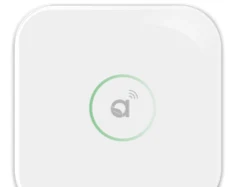
| Gateway | link to IP networks and the BMS | e.g. CR05 with Autani Manager |
Group addresses instead of wiring
In a conventional installation, the wiring determines which detector switches which luminaires. In Bluetooth Mesh, this is handled by group addresses: a sensor publishes its messages to a group, and the luminaires subscribe to that group. If a room is later to be split or merged, you simply change the grouping in the app – without touching a single wire.
Security
Bluetooth Mesh was developed for professional applications with high security requirements. Encryption and authentication are not optional, but an integral part of every message:
- Network key: only devices that were added during commissioning (provisioning) can take part in the network.
- Application keys: separate different applications, such as lighting and access control, so that a relay node can forward messages without being able to read their content.
- Device key: secures the configuration of each individual device.
- Replay protection: sequence numbers prevent intercepted messages from being resent.
Encryption is based on AES-CCM with 128-bit keys. What matters in practice is careful handling of access credentials: handing the network over to the operator and documenting administrator rights belong in every commissioning report.
Bluetooth Mesh in the Keilton+autani system
All Keilton+autani components use Bluetooth 5.0 and are configured via the Keilton+autani app. The datasheets specify the following transmission ranges (manufacturers’ open-field figures; inside buildings, walls, ceilings and metal reduce the range):
| Device | Function | Range according to datasheet |
|---|---|---|
| EFS104, EFS106, EFS107E | high-bay or dual-tech sensor | BLE up to 100 m |
| IFS108, IFS105SE | luminaire level sensor | BLE up to 30 m |
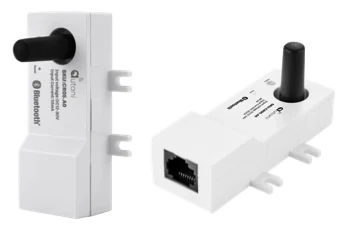
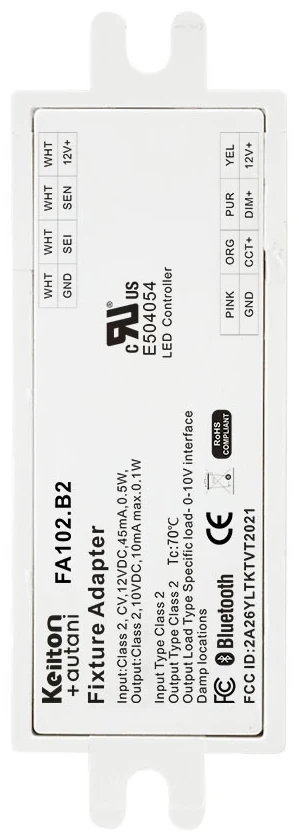
| FA102 | Bluetooth node in the luminaire | 60 m |
| BCS107 | battery-powered ceiling sensor | 61 m |
| WP108E | battery-powered wall switch | BLE up to 30 m |
| CR05 | Bluetooth gateway | 300 m (TX1) or 600 m (TX3) |
| CR02 | astronomical clock for outdoor use | 260 m, up to 500 m with range extension |
There are dedicated components for system functions:
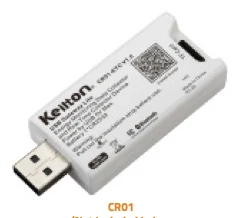
- CR01: USB dongle with a real-time clock that synchronises the timing of all devices in a zone. The CR01-ETC variant also records the zone’s energy consumption data every 15 minutes.
- CR02: real-time clock with an astronomical time switch for outdoor lighting.
- CR05: Bluetooth interface that connects a Keilton+autani zone with up to 100 nodes to the Autani Building Controls platform.
- AU-Manager: controller with EnergyCenter software that brings together Bluetooth, Zigbee (autaniNet), EnOcean and BACnet/IP, providing the bridge to the building management system.
Advantages over wired systems
- No additional control cabling: sensors and luminaires only need their power supply. This reduces material and installation costs and shortens construction time – especially in refurbishment projects (see retrofitting lighting controls in existing buildings).
- Distributed intelligence: in decentralised systems, presence and daylight control run in the devices themselves. A gateway is then only needed for higher-level functions such as BMS integration or reporting.
- Scalability: from a single room to a building with multiple zones – each zone is set up separately and brought together via gateways where needed.
- Easy addition of control points: battery-powered push buttons can be stuck or screwed to any wall without chasing cables.
Limitations and planning notes
Bluetooth Mesh does not run itself. You should clarify the following points early on:
- Limit zone size: plan zones with a manageable number of nodes. In the Keilton+autani system, one CR05 connects a zone with up to 100 nodes.
- Take metal and concrete into account: metal luminaire housings, metal grid ceilings, reinforced concrete slabs and lift shafts strongly attenuate 2.4 GHz signals. The antenna of the wireless node should not be completely enclosed in metal.
- Coexistence with Wi-Fi: Wi-Fi also uses the 2.4 GHz band. In practice the two usually coexist without any problems, but you should still check channel usage on heavily loaded networks.
- Relay density: not every device needs to relay. Too many relays increase radio traffic, too few jeopardise coverage. With luminaire nodes in a regular grid, coverage is generally not critical.
- Outdoor areas and halls: for long distances there are variants with external antennas and IP65 housings (e.g. CR02, CR05).
- Documentation: record zones, groups, scenes and access credentials. On handover to the operator, it must be clear who administers the network.
Typical project workflow
A Bluetooth Mesh project with Keilton+autani usually runs as follows:
- Planning: define the room schedule, zones and groups, check sensor positions and mounting heights, and identify critical radio links. The grid planner helps with sensor layout.
- Installation: sensors and luminaire nodes are connected to the power supply – no additional control cabling is needed. Battery-powered push buttons are fixed wherever they are wanted.
- Commissioning: devices are added to the network via the app, and groups, scenes, hold times and daylight setpoints are configured.
- Testing and optimisation: walk-through of all zones, checking detection and radio links, and fine-tuning after the first few weeks of use.
- Handover: documentation and access credentials are passed to the operator; optionally, integration with the gateway and BMS follows.
Integration with the building management system
Many operators want to see occupancy and energy data not only in the lighting app but also in their BMS. Via the AU-Manager, Keilton+autani zones can be integrated over BACnet/IP; other options are Modbus or an API connection. Find out more in our guide BMS integration via BACnet and Modbus.
Conclusion
Bluetooth Mesh brings the flexibility of wireless to professional lighting control: no additional control cabling, software-defined groups, encrypted communication and a network that becomes more robust with every device. For refurbishments, industrial halls and spaces whose use changes frequently, it is often the most cost-effective solution. Stable operation depends on sensible zoning, taking metal and the building structure into account, and thorough documentation at handover. If you would like us to assess a specific project, please get in touch.
Frequently asked questions
How does Bluetooth Mesh work?
In Bluetooth Mesh, devices send messages as broadcasts, and relay nodes pass them on to their neighbours. This managed flooding spreads commands across the network over several hops, without fixed routes. A time-to-live counter on each message and a message cache prevent the network from being overloaded.
How secure is Bluetooth Mesh for lighting control?
Encryption and authentication are mandatory in Bluetooth Mesh. Network, application and device keys separate access levels, and sequence numbers prevent intercepted messages from being replayed. Careful handling of access credentials during commissioning and handover is also important.
What is the range of Bluetooth Mesh?
The range of an individual device depends on the product; Keilton+autani components specify 30 m to 100 m depending on type, and gateways with an additional antenna more. Because relay nodes forward messages, the network’s reach grows with every device. Walls, concrete and metal reduce the range inside buildings.
Does Wi-Fi interfere with a Bluetooth Mesh lighting system?
Both use the 2.4 GHz band, but in practice they usually coexist without problems. On heavily loaded Wi-Fi networks you should check channel usage. The redundant transmission paths in the mesh further increase robustness.
Can I connect Bluetooth Mesh to a building management system?
Yes. In the Keilton+autani system, the CR05 gateway connects a zone with up to 100 nodes to the Autani platform, and the AU-Manager makes the data available via BACnet/IP. Alternatively, integration via Modbus or API is possible.
What are the Bluetooth SIG NLC profiles?
Networked Lighting Control is a family of profiles for Bluetooth Mesh published in 2023. It defines standardised device roles such as occupancy sensor, ambient light sensor, scene selector and luminaire controller. The aim is better interoperability between products from different manufacturers.