Lighting controls can be retrofitted in existing buildings without running new control cables: wireless sensors and Bluetooth nodes are fitted directly in or on the luminaires, battery-powered sensors and wall switches need no wiring at all, and a Bluetooth Mesh network takes care of the networking. In most cases, the prerequisite is a dimmable LED driver in the luminaire. This guide shows you the options available, how to assess your existing installation and how a retrofit project runs with as little disruption to ongoing operations as possible.
Why retrofits in existing buildings often fail because of the wiring
Conventional lighting control systems with DALI buses or central occupancy sensors need additional control cables between sensors, control gear and luminaires. In a new build this can be planned for; in an existing building it means:
- Opening up ceilings and cable trunking, often with dust and fire protection measures
- Interruptions to use in offices, warehouses or production
- Time-consuming coordination with tenants and occupants
- Costs for electrical work that can significantly exceed the cost of the sensors themselves
This is exactly where wireless systems come in. Bluetooth Mesh avoids additional control cabling because every luminaire with a sensor or node becomes part of the network itself and passes commands on to its neighbours. The basics are explained in our article on Bluetooth Mesh in lighting control.
Retrofit options at a glance
| Option | Principle | Requirement | Example products |
|---|---|---|---|
| Sensor in the luminaire (LLLC) | Bluetooth-enabled sensor is mounted in or on the luminaire and connected to the driver | Dimmable LED driver with 12 V auxiliary supply or suitable interface | IFS105SE, IFS108, EFS106 |
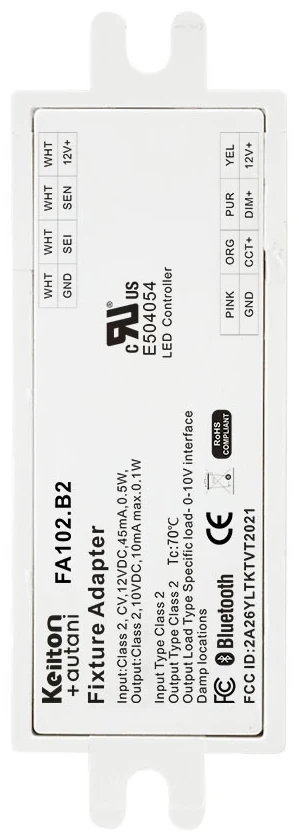
| Bluetooth node plus Eco sensor | Node in the luminaire handles wireless communication and dimming; a separate sensor provides occupancy detection | Dimmable LED driver with dim-to-off and 12 VDC | FA102 + MWS105E |
| Battery-powered components | Ceiling sensor and wall switch with no wiring whatsoever | Luminaires are already under wireless control | BCS107, WP108E |
| Mains-powered high bay sensor | Sensor with integrated power supply for high bay luminaires | 120–277 VAC, mounting height above 6 m | EFS104 |
The options can be combined. A typical example is an office with luminaire-level sensors, supplemented by battery-powered wall switches at the doors, or a warehouse with high bay sensors and a battery-powered sensor in the adjacent staff room.
Option 1: Sensor directly in the luminaire
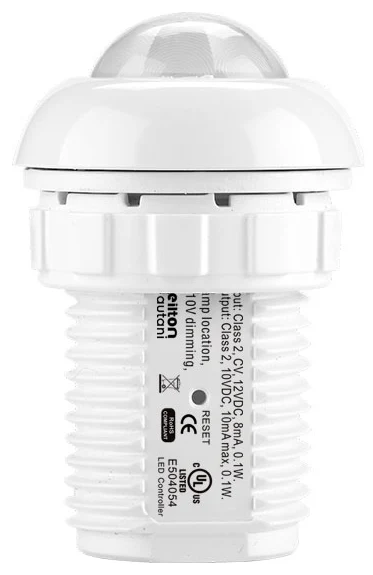
With luminaire-level lighting control (LLLC), every luminaire gets its own intelligence. Sensors such as the IFS105SE (round, for 2–5 m) or the IFS108 with AUX interface (compact, for office luminaires) combine PIR occupancy detection and daylight measurement. They are powered via a 12 V DC input. For warehouses, there is the EFS106, a high bay sensor with an AUX interface for 5–22 m. Read more about the concept in luminaire-level lighting control.
Option 2: Bluetooth node with Eco sensor
The FA102 is a Bluetooth node for installation in luminaires. According to the datasheet, it is powered via the 12 VDC output of dimmable LED drivers with a dim-to-off function and is available in variants with a 0-10 V output, dual 0-10 V output and PWM dimming. Keilton+autani Eco sensors can be connected to the FA102, such as the MWS105E microwave sensor with a detection range of up to 15 m and mounting heights of up to 6.5 m. The combination is particularly suitable for luminaires whose housing has no room for a PIR sensor with a lens, and for areas such as warehouses or underground car parks.
Option 3: Completely wire-free
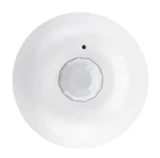
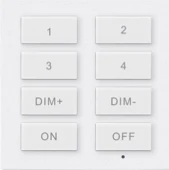
The BCS107 is a battery-powered ceiling sensor with PIR occupancy detection and daylight harvesting. According to the datasheet, the supplied CR123A battery lasts for up to 10 years. The WP108E wall switch runs on a CR2032 battery, offers four configurable scene buttons, separate dimming buttons and ON-AUTO/OFF buttons, and according to the manufacturer is designed for easy retrofitting in place of existing wall switches. Both devices are configured via the Keilton+autani app.
Site survey: what to check before retrofitting
A structured survey of the existing installation prevents surprises during installation. For each area, check:
- Luminaire type and driver: Is the luminaire already LED? Is the driver dimmable (DALI, 0-10 V) and does it provide a 12 V auxiliary supply? The rating plate and driver datasheet will tell you.
- Dim-to-off: Can the driver switch off completely via the dimming interface, or is a relay required?
- Mounting height and room use: These determine the sensor type. Our guide to planning occupancy sensors will help.
- Building fabric: Reinforced concrete floors, metal racking and fire walls affect radio propagation.
- Existing switches and circuits: Which switches will stay and which will be replaced by wireless switches?
- Scheduling and monitoring requirements: Are time schedules, energy metering or integration with a building management system (BMS) required?
System architecture: from luminaire to platform
A retrofitted Keilton+autani system can be expanded in stages:
| Expansion stage | Components | Functions |
|---|---|---|
| Local control | Sensors, nodes, wireless switches, app | Occupancy and daylight control, groups, scenes |
| Scheduling | plus CR01 (real-time clock) | Synchronised schedules within a zone; CR01-ETC variant with energy monitoring |
| Outdoor areas | CR02 (astronomical clock) | Switching at sunrise and sunset, range up to 500 m with range extension |
| Platform | CR05 + RTR + AU-Manager | Central management, floor plan view, data storage for over a year, BACnet/IP |
In combination with the RTR, one CR05 interface integrates up to 100 nodes of a Keilton+autani zone into the Autani platform. Larger buildings are divided into several zones accordingly. How to connect the platform to an existing building management system is explained in our guide to BMS integration via BACnet, Modbus and API.
How a retrofit project runs
- Site visit and survey: Record luminaires, drivers, heights, usage and the radio environment.
- Concept and product selection: Sensor per luminaire or per zone, switches, gateways, desired expansion stage. The sensor finder gives you initial guidance.
- Pilot installation: One room or one bay of a warehouse is fitted out and tested in operation.
- Installation in sections: Open the luminaire, connect the sensor or node, close the luminaire. The work can usually be done room by room and outside core hours.
- Commissioning via the app: Devices are added via the Keilton+autani app, groups are created and profiles for occupancy, time delays and daylight are set up.
- Fine-tuning and handover: After a few days of operation, time delays and dimming levels are optimised based on user feedback.
Cost-effectiveness of retrofitting
Because there is no electrical work for new control cables, the cost structure shifts significantly towards hardware and commissioning. The savings depend on the usage profile, the proportion of daylight and the starting point. With occupancy and daylight control at luminaire level, lighting energy savings of up to 90 % are possible in suitable applications; in typical offices the figures are lower, depending on use. You can get a reliable estimate for your building with the savings calculator; the calculation method is explained in our guide to calculating savings and payback.
Special case: existing Enlighted installations
If you already operate an Enlighted installation, the retrofit question is a different one: it is about securing continued operation following the discontinuation announced by Siemens and about a possible step-by-step migration. Building Robotics Europe supports direct customers until 30 September 2035 and keeps sensors and gateways in stock. You will find details under Enlighted support and in our guide Enlighted discontinuation: what operators should do now.
Conclusion
Retrofitting lighting controls in an existing building is possible without new control cables, provided the luminaires have dimmable LED drivers. Luminaire-level sensors, Bluetooth nodes with Eco sensors and battery-powered components cover almost every type of space, from offices to warehouses. The keys to success are a careful survey of the drivers, a pilot installation and phased implementation. For an initial assessment of your building, use the sensor finder or get in touch with us directly via our contact page.
Try it interactively
Sensor finder
Frequently asked questions
Can lighting controls be retrofitted without new cables?
Yes. Wireless sensors and Bluetooth nodes are connected in or on the luminaire and network with each other via Bluetooth Mesh. Battery-powered sensors and wall switches need no wiring at all. There is no need for additional control cables between sensors and luminaires.
What requirements must the luminaire meet for a retrofit?
As a rule, a dimmable LED driver is required, for example with a 0-10 V or DALI interface. Nodes such as the FA102 also need a 12 VDC supply from the driver and a dim-to-off function. Check the rating plate and the driver datasheet.
How long does the battery in a wireless occupancy sensor last?
For the battery-powered BCS107 ceiling sensor, the datasheet states a battery life of up to 10 years with a CR123A battery. Actual battery life depends on usage and ambient conditions.
Do operations have to be interrupted for the retrofit?
Usually only briefly for each luminaire or room. As there is no need to open ceilings for new cables, installation can be carried out in sections and outside core hours. Commissioning is then done via the app.
Is a retrofit worthwhile with old fluorescent lamps?
With conventional luminaires, retrofitting the controls alone is rarely cost-effective. It usually makes more sense to replace them with dimmable LED luminaires, ideally with a factory-fitted sensor, so that the luminaire replacement and controls are done in one step.