In April 2025, Siemens decided to discontinue Enlighted as of 30 September 2025. For operators of existing installations, this does not mean the lights go out: the installed sensors continue to control the lighting, and Building Robotics Europe supports direct customers until 30 September 2035 with service, spare parts and support contracts. What you should do now is take a sober inventory: which components are installed, how critical is the system to operations, and which strategy fits over the coming years, from secured continued operation through to step-by-step migration. This guide shows you the options and a concrete roadmap.
What the discontinuation means in practice
When a manufacturer discontinues a product, new developments, regular product deliveries and manufacturer support typically come to an end. For operators, this raises three questions:
- Will the system keep working? Enlighted sensors store their lighting profiles locally, and basic functions such as presence and daylight control run in the luminaire. So the system will not suddenly fail.
- What happens if something breaks? Without spare parts, every failed sensor or faulty gateway can become a problem, especially in larger installations.
- Who maintains the configuration? Profile changes, new room layouts or firmware updates require know-how and access to the system software.
Step 1: Take stock of the components
First, get an overview of which components are installed in your system. Typical elements of an Enlighted installation are:
| Component | Function | What to look out for |
|---|---|---|
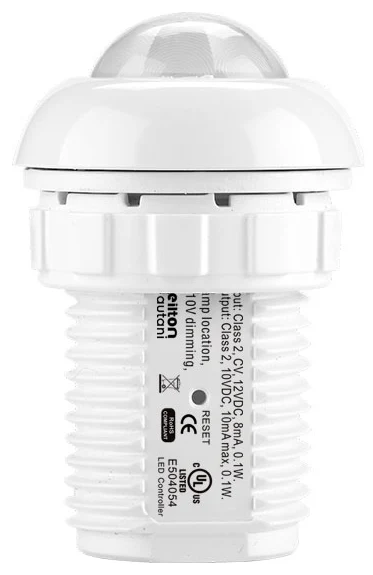
| Sensors SU-5i, SU-5e / SU-5e-LR, SU-5s / SU-5s-2W | Presence, daylight, data capture in the luminaire | Number per type, failure rate in recent years |
| Control Unit CU-4E-FMH | Control of the luminaire driver | Compatibility when replacing luminaires |
| Remote control WS-2 | Manual operation in the room | Battery level, assignment |
| Gateway GW-2-01 | Connection of the sensors to the Energy Manager | Number, location, network connection |
| Energy Manager | Central administration, profiles, data storage | Software version, login credentials, backups |
| Edge Gateway | Connection to the cloud or higher-level systems | Dependence on cloud services |
| Asset Tags | Locating devices and objects | Use in operation, alternatives |
Also document software versions, existing configuration backups, access details and contacts, as well as any integrations into a building management system (BMS). The Enlighted check offers a structured self-assessment.
Step 2: Assess criticality
Not every installation needs the same strategy. For each building or area, assess:
- Operational importance: is the lighting safety-relevant, for example in production or logistics, or "just" a matter of comfort?
- Size of the installation: with only a few sensors a failure is manageable; with thousands of sensors you need a spare parts plan.
- Changes of use: are refurbishments, new tenants or new space concepts on the horizon? Then profile changes are likely.
- Data use: are occupancy data, asset tracking or energy reports actively used? These functions are particularly dependent on the system software.
- Luminaire life cycle: is a luminaire replacement planned in the next few years anyway?
Step 3: Choose a strategy
The inventory and the criticality assessment essentially lead to three strategies.
Strategy A: Secured continued operation
The system continues to run, secured by a support contract and a stock of spare parts. Suitable for stable installations without major refurbishment plans. Support contracts from Building Robotics Europe include defined response times as well as services such as profile changes, lighting editing, advice on savings potential, firmware upgrades and hardware replacement.
Strategy B: Continued operation with planned migration
The system continues to operate on a secured basis while migration to a new system is planned over a defined period, for example alongside tenant changes, refurbishments or luminaire replacement. This strategy spreads investment and avoids a complete replacement under time pressure.
Strategy C: Early migration
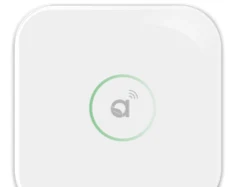
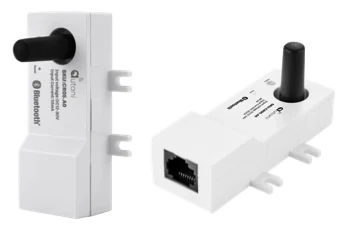
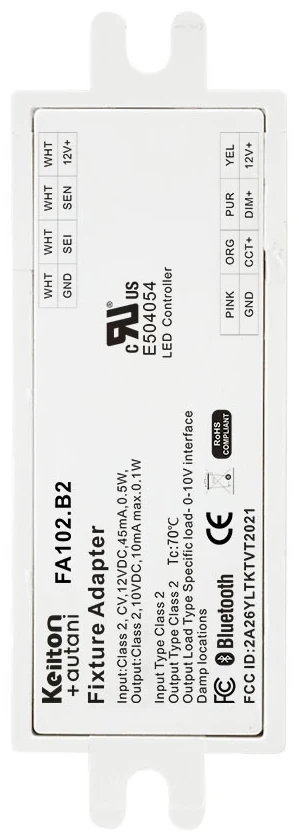
Makes sense if a refurbishment is due anyway, the system is already showing problems, or new requirements, for example for monitoring and BMS integration, can no longer be met. Migration to the Keilton+autani platform with Bluetooth mesh can be carried out without additional control cables, because sensors such as the IFS105SE or nodes such as the FA102 sit directly in the luminaire. Central administration is handled by the AU-Manager, which integrates gateways such as the CR05 with up to 100 nodes per zone and supports BACnet/IP.
| Criterion | A: Continued operation | B: Continued operation + migration | C: Early migration |
|---|---|---|---|
| Short-term investment | low | low to medium | high |
| Operational risk | depends on spare parts stock | low, plannable | low after changeover |
| Disruption for users | minimal | section by section | concentrated |
| Suitable for | stable use | upcoming refurbishments | renovation, new requirements |
Step 4: Organise spare parts and support
Whatever the strategy, you should clarify the supply of spare parts:
- Estimate requirements: the failure rate of recent years and the remaining service life give a realistic requirement for sensors, control units and gateways.
- Build up stock or secure it contractually: Building Robotics Europe holds stock of sensors and gateways. Clarify early on which quantities you need.
- Take out a support contract: for critical installations, defined response times matter more than a cheap one-off job when a fault occurs.
- Define responsibilities: who reports faults, who has access, who decides on profile changes?
Support is available on working days from 8:30 am to 4:30 pm. You can submit enquiries via the Support page or directly via the contact page.
Step 5: Evaluate data and integrations
Enlighted installations are often used not only for lighting control but also for occupancy data, energy reports or asset tracking. Check:
- Which reports and analyses are actively used, and by whom?
- Which interfaces to the BMS, CAFM or cloud services exist?
- Which data needs to be carried over or archived during a migration?
For new systems, you should plan for these requirements from the outset. Background information can be found in the guides Energy monitoring & occupancy data and BMS integration via BACnet, Modbus and API.
The cost of waiting
Many operators postpone the decision as long as the system is running. That is understandable, but it carries risks that are hard to quantify until they materialise:
- Unplanned failures: if a gateway fails, entire areas may no longer be centrally configurable. Without a spare part and know-how, the outage lasts longer.
- Lost knowledge: with every change of staff at the operator or the former service provider, information about profiles and access is lost.
- Missed savings: profiles that are no longer maintained often no longer match the use after refurbishments. Lights stay on longer than necessary, or users bypass the controls.
- Decisions under time pressure: a migration that is only triggered after a major failure leaves little room for tendering, a pilot installation and coordination with users.
Consider the legal framework
The requirements for building automation and lighting control in non-residential buildings are increasing. Under the Building Modernisation Act (Gebäudemodernisierungsgesetz, GModG), monitoring technology and automatic lighting control will be required, among other things, for non-residential buildings with systems rated above 70 kW by the end of 2029 (as of September 2026, not legal advice). Whether an existing Enlighted installation meets these requirements in a specific case should be checked as part of the strategy decision. Details in the guide GEG, EnEfG & EPBD.
Roadmap at a glance
- Document components, software versions and access details
- Back up the configuration
- Assess criticality for each building
- Decide on strategy A, B or C
- Determine spare parts requirements and secure supply
- Take out a support contract with response times
- If migration is planned, combine it with refurbishments and luminaire replacement
Conclusion
The Enlighted discontinuation is no reason for knee-jerk action, but it is a clear prompt to act. Installations keep running, but spare parts, access and know-how need to be secured now. With a structured inventory, a deliberate choice of strategy and a support contract, your lighting will remain operationally reliable until 2035, and a migration can then be carried out when it makes economic and organisational sense. Start with the Enlighted check or talk to us directly.
Try it interactively
Enlighted check
Frequently asked questions
Will my Enlighted system keep working after the discontinuation?
Yes, the installed sensors store their lighting profiles locally and continue to control the lighting. The critical issues are faulty components, missing access and necessary configuration changes. You should secure these through a spare parts stock and a support contract.
How long will support for Enlighted be available?
Building Robotics Europe supports Enlighted direct customers until 30 September 2035. This includes profile changes, lighting editing, firmware upgrades and hardware replacement, among other things, under support contracts with defined response times.
Are spare parts still available for Enlighted sensors and gateways?
Building Robotics Europe holds stock of sensors and gateways. Determine your requirements based on the previous failure rate and the planned remaining service life, and clarify supply at an early stage.
Do you also look after installations that were not bought directly from Building Robotics?
Yes. In addition to direct customers, Building Robotics Europe also looks after Enlighted installations of third-party customers that were previously installed or maintained by other partners. Get in touch with us via the contact page.
When should I migrate from Enlighted to a new system?
The most economical time is usually a luminaire replacement or refurbishment that is planned anyway. For stable installations, secured continued operation until then can make sense. If the system is already showing problems or lacks functions, an earlier migration should be considered.