When you plan sensors for lighting control, three factors determine whether the system works smoothly or causes frustration in day-to-day operation: the mounting height, the actual usable detection area and the grid derived from it, i.e. the spacing between sensors. The basic rule is: first choose the right sensor technology for the ceiling height and use of the space, then read the detection pattern in the datasheet for exactly that height, and lay out the grid so that the detection areas overlap rather than just touch. This guide takes you through the planning process step by step, with guideline values, typical mistakes and specific product examples.
Why sensor planning is more than "one sensor per room"
A lighting control system only saves energy if it reliably detects whether someone is in the room – and at the same time does not switch every time there is a draught or a forklift drives past. In practice, poor planning shows up in two ways:
- False switch-off: People are sitting quietly at their desks, the sensor does not "see" them and the light dims down. The result is complaints and, often, sensors that are manually overridden – at which point the savings are lost.
- False switch-on: The sensor picks up movement in the corridor, through glass walls or in neighbouring zones. The lights stay on even though the area is empty.
Both effects can largely be avoided with careful planning. You will find the basics of the detection principles in our guide to PIR, ultrasonic and microwave sensors, and the difference between presence and motion detection in the article presence detectors vs. motion detectors.
Step 1: Determine the mounting height and choose the sensor type
The mounting height is the most important starting value, because every sensor principle and every lens is designed for a specific height range. Measure the actual height of the underside of the sensor above the floor, not the room height shown on the drawings. Suspended ceilings, pendant luminaires or continuous-row lighting often change the value by more than a metre.
| Mounting height | Typical spaces | Suitable sensors (Keilton+autani) | Notes according to datasheet |
|---|---|---|---|
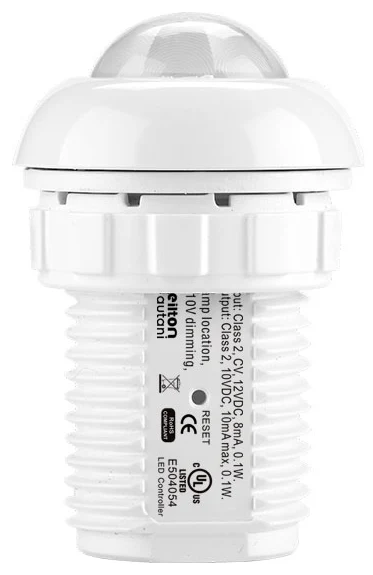
| 2–5 m | Office, meeting room, classroom, corridor | IFS105SE, IFS108 | For applications between 2 and 5 m, PIR + daylight, installed at luminaire level (LLLC) |
| Ceiling mounting without mains cable | Existing offices, ancillary rooms | BCS107 | Battery-powered (CR123A), up to 10 years' battery life, PIR + daylight |
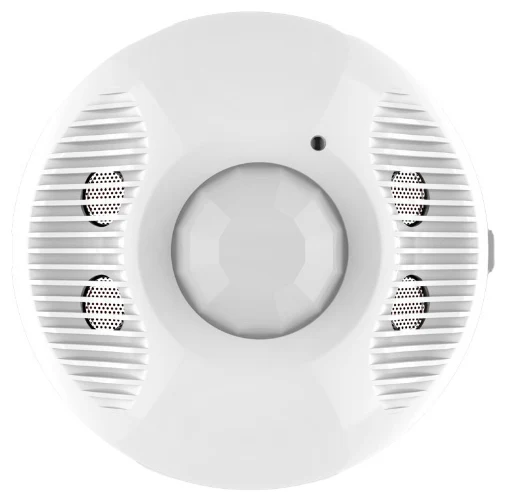
| Rooms up to 56 m² | Open-plan office zones, meeting rooms | EFS107E | Dual-tech PIR + ultrasonic, 12 V via luminaire controller |
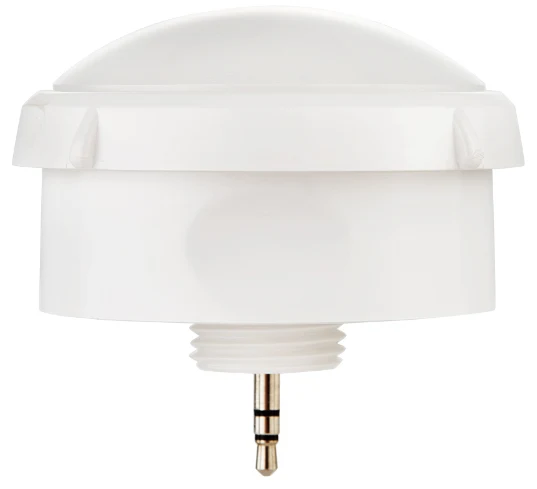
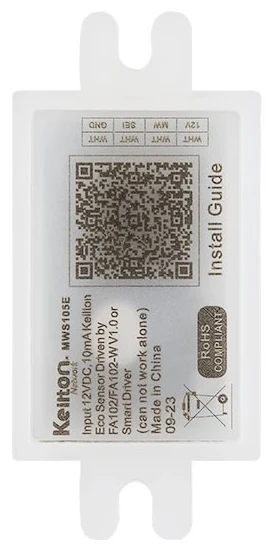
| up to 6.5 m | Warehouse, workshop, corridors, underground car park | MWS105E with FA102 | Microwave, detection range up to 15 m, sensitivity adjustable 0–100 % |
| 5–22 m | Halls, high-bay warehouses, production | EFS106, EFS104 | EFS106: 12 V, 5–22 m; EFS104: 120–277 VAC, from 6 m, HBL3-2 lens up to 22 m |
| up to 22 m, damp/outdoor | Cold storage areas, outdoor storage, canopies | EFS106W | IP66, UV-resistant black housing, WHBL3-2 lens |
What height changes physically
With PIR sensors, the floor area covered increases with height, but at the same time sensitivity to small movements decreases, because each heat source is mapped onto fewer sensor segments. That is why the EFS104 and EFS106 high bay sensors rely on interchangeable lenses and the AlgoH2 algorithm, which according to the datasheet reduces false triggers at great heights. Microwave sensors also respond to small movements and penetrate thin materials, which is an advantage in open warehouse zones but can be a risk of false switching next to lightweight partition walls. Dual-tech sensors such as the EFS107E combine PIR and ultrasonic and are suitable wherever people sit still for long periods.
Step 2: Reading the detection area correctly
The detection area is not a fixed figure – it depends on mounting height, lens, direction of movement and sensitivity setting. Bear the following points in mind when reading datasheets and detection patterns:
- Check the reference height: Figures only apply to the stated mounting height. At a different height, the radius changes.
- Consider the direction of movement: PIR sensors detect tangential movement (across the sensor) much better than radial movement (directly towards the sensor). You should therefore plan corridors with more closely spaced sensors.
- Distinguish between presence and motion areas: The radius for walking movements is typically considerably larger than that for fine movements at a desk.
- Take obstacles into account: Shelving, partitions, cupboards and tall machinery shade PIR sensors. In racking aisles, the sensor therefore belongs in the aisle, not above the rack.
Step 3: Setting the grid
You derive the grid from the detection area. The aim is complete coverage of the usable floor area with a defined overlap.
Allow for overlap
Position sensors so that the presence areas of neighbouring sensors overlap. Otherwise, with circular detection areas and a square grid, gaps remain in the corners between four sensors. A simple geometric rule: if the radius of the reliable detection area is r, a square grid with a centre-to-centre spacing of no more than r × √2 (roughly 1.41 × r) covers the area without gaps. In practice, plan with a little margin below this, as furniture and people restrict detection further.
Worked example (guideline)
An open-plan office with a mounting height of 3.0 m is to be fitted with occupancy sensors at luminaire level. Assume the datasheet specifies a reliable presence radius of 2.0 m for this height:
- Maximum centre-to-centre spacing in a square grid: 2.0 m × 1.41 ≈ 2.8 m
- Grid chosen with margin: 2.4 m × 2.4 m
- Area per sensor: around 5.8 m²
These values are for illustration only. Recalculate your project using the patterns for the specific sensor, for example with the grid planner.
One sensor per luminaire or one sensor per zone?
With luminaire-level lighting control (LLLC), there is a sensor in every luminaire or every other luminaire. The grid then follows the luminaire layout, and overlap is usually achieved automatically. The sensors share their occupancy information via Bluetooth Mesh, so neighbouring luminaires can respond together. Read more in luminaire-level lighting control and Bluetooth Mesh in lighting control.
With zone-based planning, one sensor controls several luminaires. This saves hardware, but requires more care when positioning the sensor and assigning luminaires to zones.
Step 4: Factor in daylight and zoning
Occupancy sensors with an integrated light sensor, such as the IFS105SE, IFS108, BCS107 or the EFS high bay series, also handle daylight-dependent control. For planning, this means:
- Create separate window zones: Luminaires in the first few metres behind the façade receive significantly more daylight and should form their own control group.
- Do not point the light sensor directly at the window: Direct sunlight or reflections distort the measurement.
- Consider rooflights in halls: In halls with continuous rooflights, daylight harvesting can account for a large proportion of the savings.
You will find details on the control principles in our guide to daylight harvesting.
Step 5: Plan the wireless network and system components
With Bluetooth Mesh systems, radio planning is part of sensor planning. Some planning values from the datasheets:
| Component | Relevant planning value |
|---|---|
| IFS105SE, IFS108, WP108E | BLE transmission up to 30 m |
| EFS104, EFS106, EFS106W, EFS107E | BLE transmission up to 100 m |
| FA102 (Bluetooth node in the luminaire) | Transmission 60 m |
| BCS107 | Transmission up to 61 m |
| CR05 (gateway) | up to 100 nodes per zone |
| CR01 (real-time clock) | synchronises all devices in a zone for schedules |
Note that radio ranges are open-field figures. Reinforced concrete floors, metal racking and fire walls reduce the range. Plan zones to be fairly compact and bear in mind that a maximum of 100 nodes can be integrated per gateway zone.
Sensor planning checklist
- Measure the mounting height on site for each area
- Define the use: seated (presence) or walking (motion)
- Choose sensor technology and lens to suit the height
- Read the detection radius for that height from the datasheet
- Calculate the grid with overlap (centre-to-centre spacing below r × 1.41)
- Mark obstacles, shelving and glazed areas on the plan
- Define daylight zones and control groups
- Check radio ranges and zone size (max. 100 nodes per CR05)
- Set time delays and dimming levels for each zone
- Schedule acceptance with a walk-through and motion test
For a quick pre-selection, use the sensor finder; to visualise individual rooms, use the room simulator. Warehouses and halls are covered in detail in our guide to high bay sensors for warehouses.
Conclusion
Good sensor planning starts with a mounting height measured on site, uses the right technology for the application and sets the grid with deliberate overlap. Guideline values help with preliminary planning, but the detection patterns in the datasheets are what count. If you also take daylight zones, obstacles and radio zones into account, you get lighting control that switches reliably and actually achieves the potential savings. If you need support with a specific project, get in touch via our contact page.
Try it interactively
Grid planner
Frequently asked questions
At what height should an occupancy sensor be mounted?
That depends on the type of sensor. Sensors for offices and classrooms such as the IFS105SE or IFS108 are designed for 2 to 5 m, high bay sensors such as the EFS106 for 5 to 22 m. What counts is the actual measured height of the underside of the sensor above the floor.
How large is the detection area of an occupancy sensor?
The detection area depends on the mounting height, lens, direction of movement and sensitivity. For fine movements at a workstation, it is much smaller than for walking movements. The detection patterns in the datasheet for the specific sensor are binding.
How do I calculate the spacing between two sensors?
With a circular detection area of radius r, a square grid with a centre-to-centre spacing of no more than r × 1.41 covers the area without gaps. Allow a little margin below this, as furniture and obstacles restrict detection.
Which sensor is suitable for halls higher than 6 metres?
High bay sensors with a special lens are designed for great heights, such as the EFS104 (120–277 VAC, from 6 m, HBL3-2 lens up to 22 m) or EFS106 (12 V, 5–22 m). For damp or outdoor areas, there is the IP66-rated EFS106W.
Do I need a sensor in every luminaire?
With luminaire-level lighting control (LLLC), there is often a sensor in every luminaire, which enables dense coverage and fine-grained zoning. Alternatively, one sensor controls a zone of several luminaires, which requires less hardware but needs more careful positioning.