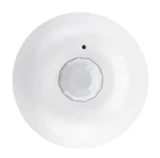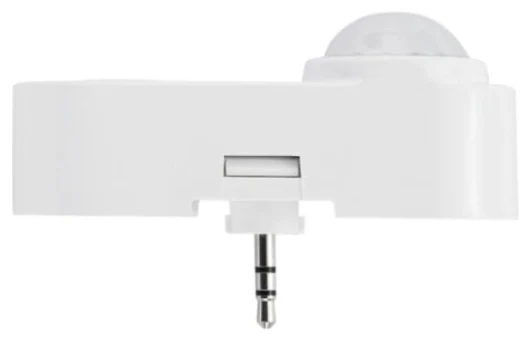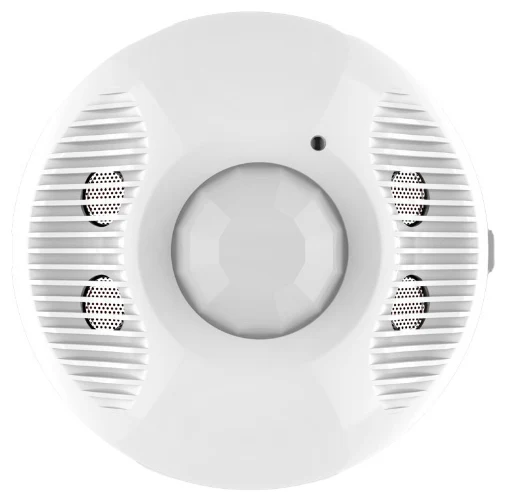
A motion detector switches the lights on as soon as it detects clear movement – typically people walking through a corridor, a stairwell or an outdoor area. A presence detector, by contrast, also picks up the smallest movements, such as typing on a keyboard, and continuously measures the light level in the room. That makes it the right tool for workstations, meeting rooms and anywhere people sit still for long periods. For circulation areas where people only pass through briefly, a motion detector is often sufficient. This guide explains the technical differences, typical applications and the criteria you should use to choose between them at the planning stage.
The key difference in one sentence
Both device types usually rely on the same basic technology – often a passive infrared (PIR) sensor – but they differ in sensitivity, evaluation logic and light measurement. A motion detector asks: “Is someone coming?” A presence detector asks: “Is anyone still here, and is there enough light?”
How a motion detector works
A motion detector is designed for larger, unambiguous movements. Its lens divides the detection area into relatively coarse zones. It only triggers when a heat source – usually a person – crosses several of these zones. It usually also has a simple twilight threshold: the lights only switch on if the ambient light is below a set brightness level.
Typical characteristics:
- Switching rather than regulating: lights on or off, rarely dimmed.
- Brightness checked only at switch-on: once the lights are on, they stay on until the hold time expires – even if there is enough daylight in the meantime.
- Coarse detection: seated people making small movements are often not detected reliably. The result is familiar to everyone: waving your arms in a dark office to get the lights back on.
How a presence detector works
A presence detector has more finely segmented optics and more sensitive signal evaluation. It is designed to detect occupancy even when a person at a desk is barely moving. Modern devices also analyse the sensor signals with algorithms that distinguish real people from sources of interference. Sensors in the Keilton+autani range, for example, use the AlgoH2 algorithm, which is designed to reduce false triggering.
The second major difference is continuous light measurement. A presence detector permanently measures the mixed light from daylight and artificial lighting and can:
- switch off the artificial lighting when there is enough daylight, even though people are present,
- implement constant light control in combination with dimmable LED drivers (see our guide to daylight harvesting for more detail),
- control several luminaire groups differently, for example those near the window and those deeper in the room.
Side-by-side comparison
| Criterion | Motion detector | Presence detector |
|---|---|---|
| Detects | larger movements (walking) | small movements too (sitting, writing) |
| Light measurement | usually only at switch-on | continuous (mixed light) |
| Output | on/off switching | switching and dimming, constant light |
| Typical hold time | short (guide value: 1–5 min) | longer (guide value: 5–20 min) |
| Applications | corridors, stairs, ancillary rooms, outdoors | offices, classrooms, meeting rooms, halls with workstations |
| Energy savings | occupancy-based | occupancy- and daylight-based |
| Networking | rare | common (wireless, bus, BMS) |
The hold times are guide values from practical experience. What matters is the use of the space, the room size and the operator’s requirements.
Automatic or semi-automatic?
Presence detectors add an operating mode that often gets overlooked in tender specifications:
- Fully automatic (presence mode): the lights switch on automatically when someone is present and the light level is too low, and switch off automatically once the room is vacated.
- Semi-automatic (absence mode): the user switches the lights on manually with a push button, and the detector switches them off automatically when the room is empty.
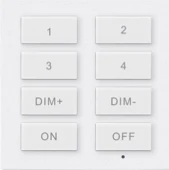
In rooms with plenty of daylight, absence mode usually saves additional energy because the lights never come on automatically when the user does not need them. The battery-powered ceiling sensor BCS107 supports both variants (presence/absence control) and can be combined with the Bluetooth wall switch WP108E, which offers ON-AUTO/OFF buttons, dimming buttons and scenes with delayed switch-off, among other features.
Which detector belongs where
Motion detectors make sense in
- circulation areas such as corridors, stairwells and underground car park entrances, where people are almost always moving,
- ancillary rooms with short occupancy times (storerooms, plant rooms, cupboards),
- outdoor areas such as driveways and entrances.
Even here, if the corridor is part of a networked system, a presence detector with dimming is often worthwhile. Instead of switching off completely, the lighting can be reduced to a background level – known as the corridor function. This improves the sense of safety while still cutting consumption.
Presence detectors are essential in
- offices and open-plan spaces: quiet screen work requires sensitive detection.
- classrooms and seminar rooms: long periods of sitting and changing daylight conditions.
- meeting rooms: people often sit almost motionless for minutes at a time.
- halls with workstations: these call for dedicated high-bay sensors (see high-bay sensors for warehouses and industrial halls).
Selection criteria for planning
The question “presence or motion detector?” is only the starting point. For a robust design, you should clarify the following:
1. Use and occupancy duration
How long do people stay in the room, and how much do they move while they are there? This determines the sensitivity required.
2. Mounting height and detection area
Every sensor has a mounting height range specified by the manufacturer. The Keilton+autani sensors IFS108 and IFS105SE, for example, are designed for 2 to 5 m, while the dual-tech sensor EFS107E covers rooms of up to 56 m². Always plan so that the detection areas of neighbouring sensors overlap slightly. Our grid planner helps with the layout.
3. Sensor technology
PIR requires line of sight, whereas ultrasonic and microwave sensors also detect behind obstacles. Which technology suits which room best is explained in our guide PIR, ultrasonic, microwave and dual-tech compared.
4. Lighting control
Should the lights just be switched, or also dimmed according to daylight? For constant light control you need dimmable control gear (e.g. 0–10 V, PWM or DALI) and a detector with an integrated light sensor.
5. Networking and integration
Standalone detectors control a single room. Networked detectors share occupancy information, synchronise luminaire groups and feed data to higher-level systems. With Bluetooth Mesh, no additional control cabling is needed; integration with a building management system (BMS) is achieved via BACnet, Modbus or API.
6. Mounting location: ceiling, wall or luminaire
Alongside conventional ceiling and wall detectors, there are sensors that are integrated directly into the luminaire. This concept is called luminaire level lighting control and is explained in detail in our guide LLLC / NLC5.
How much energy can be saved?
The savings depend on occupancy rate, available daylight, the starting situation and the control strategy. Presence detectors with daylight control generally save considerably more than simple motion detectors because they combine two effects: switching off when nobody is present and dimming when daylight is available. Combined with LED luminaires and networked control, lighting energy savings of up to 90% compared with uncontrolled legacy installations are possible. For a project-specific estimate, use the savings calculator or read our guide calculating energy savings from lighting control.
The added value of networked presence detectors: occupancy data
An often underestimated advantage of networked presence detectors is that they deliver not only switching commands but also information about when each area is actually used. Facility managers can use this to identify which spaces are permanently empty, how cleaning schedules can be adjusted, or whether heating and ventilation should run more closely in line with demand. Find out more in our guide energy monitoring and occupancy data.
Tender specification checklist
- Define the operating mode (fully automatic / semi-automatic) for each room type
- Define hold times and background light levels
- Check mounting height and detection area against the datasheet
- Match the light sensor to the luminaires’ dimming interface
- Plan networking, push buttons and scenes
- Clarify the interface to the BMS (BACnet, Modbus, API)
- Describe commissioning and handover to the operator
If you are unsure which sensor suits your room, the sensor finder provides an initial recommendation. For specific projects, feel free to contact us.
Conclusion
Motion detectors and presence detectors differ less in their sensor technology than in sensitivity, light measurement and control behaviour. Motion detectors are the cost-effective solution for circulation and ancillary areas. Wherever people sit and work, a presence detector with continuous light measurement is the technically correct choice. Integrating both types into a networked system also brings flexibility, transparency about occupancy and the ability to make savings measurable.
Frequently asked questions
What is the difference between a presence detector and a motion detector?
A motion detector responds to larger movements and usually just switches the lights on and off. A presence detector also detects small movements, such as writing at a desk, and continuously measures the light level. This means it can switch off or dim the lights when there is enough daylight, even though people are present.
Can I use a motion detector in an office?
Technically yes, but it is rarely a good solution. Motion detectors often fail to detect seated people reliably, so the lights go out while people are working. For offices and meeting rooms, you should use presence detectors with fine-grained detection and light measurement.
What does semi-automatic mean for a presence detector?
In semi-automatic or absence mode, the user switches the lights on manually with a push button. The detector switches them off automatically once the room has been vacated. In rooms with plenty of daylight, this operating mode often saves additional energy.
What hold time is sensible for presence detectors?
As a guide, 5 to 20 minutes has proven effective in offices, with shorter times in corridors and ancillary rooms. Times that are too short lead to unwanted switch-offs, while times that are too long waste savings potential. The right setting depends on how the space is used and the operator’s requirements.
How much energy does a presence detector save?
That depends on occupancy, daylight and the starting situation. Presence detectors with daylight control usually save considerably more than simple motion detectors. Combined with LED and networked control, lighting energy savings of up to 90 per cent compared with uncontrolled legacy installations are possible.